How to watch porn on the Oculus GO?
How to watch VR porn on the Oculus GO
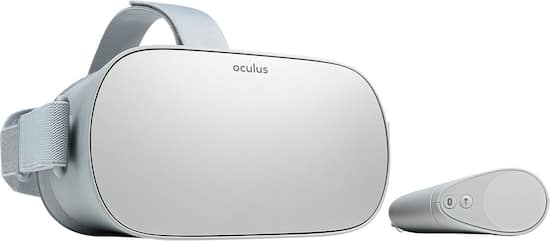
It’s official: the Oculus GO is a great headset for anyone who wants to watch VR porn. But before you dive in and buy one, it’s useful to know exactly what you’re getting. Read more below.
The big advantage of the Oculus GO is that it’s a super handy, all‑in‑one package that doesn’t require any extra hardware, especially if you only want to watch Virtual Reality porn (VR porn).
How does the Oculus GO work?
Basically, you have two options, depending on whether you want to stream or download.
Streaming
If you want to stream directly, the easiest way to get started is to use the built‑in Oculus browser – and don’t forget to use a “private window” if needed!
Just wake up your Oculus GO, open the Oculus browser and go to badoinkvr.com to sign up or log in using the on‑screen keyboard and controller (as a virtual pointer). Once you’re logged in, you can browse the site as normal or jump into the BaDoinkVR Virtual Theatre and stream clips directly, whichever option you prefer.
Downloads
Watching downloaded VR porn starts the same way as watching streaming VR porn, but once you’ve picked a VR porn scene, instead of selecting the streaming option (or the virtual theatre), choose the download option for files created specifically for the Oculus GO, as shown below.
You can use the default Oculus player, or preferably download the SkyBox VR Player app from the Oculus Store, as it offers a few more viewing options and generally more reliable video playback.
That’s it – that’s all you need to do to watch VR porn on the Oculus GO! What are you waiting for?
Write a reply
Related Posts
Stripchat explained: creating an account, promos, tokens, support and deleting your account
More and more people are looking for information about Stripchat. Searches like "Create Stripchat ac ...
Chaturbate: create account, buy tokens, discounts & delete
Chaturbate explained: create account, buy tokens, discounts, safety and delete account (Complete gui ...
Best Free AI Girlfriend: compare the top free AI partners
More and more people are looking for a free AI girlfriend. A virtual girlfriend you can chat with, h ...
AI Girlfriend Chat: The best AI dating platforms in the Netherlands
AI Girlfriend Chat is exploding in popularity. While AI chatbots only had simple conversations a few ...